
Can I Use a Monitor Light Bar with a Dual Monitors?
Updated August 2026
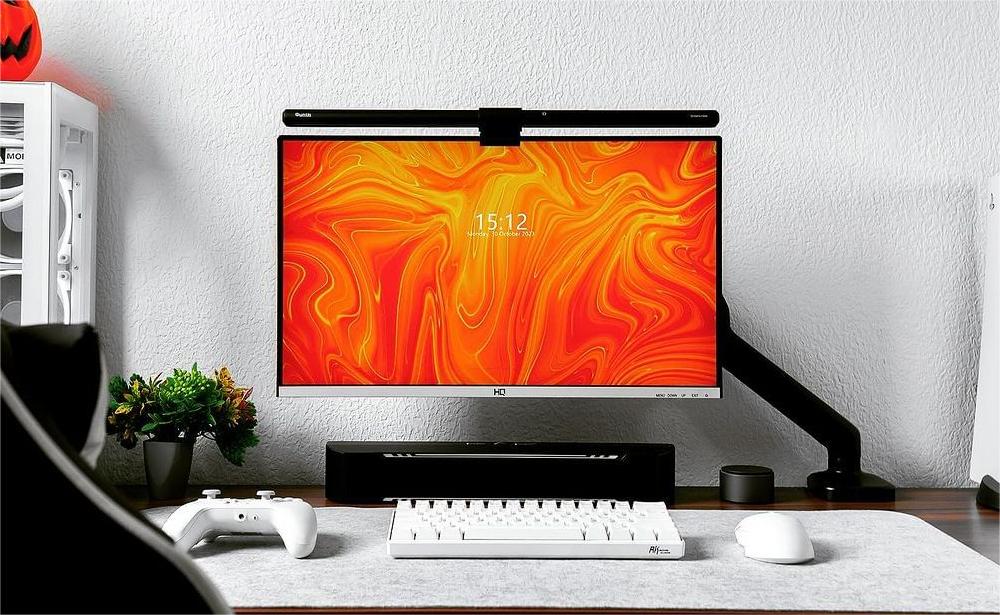
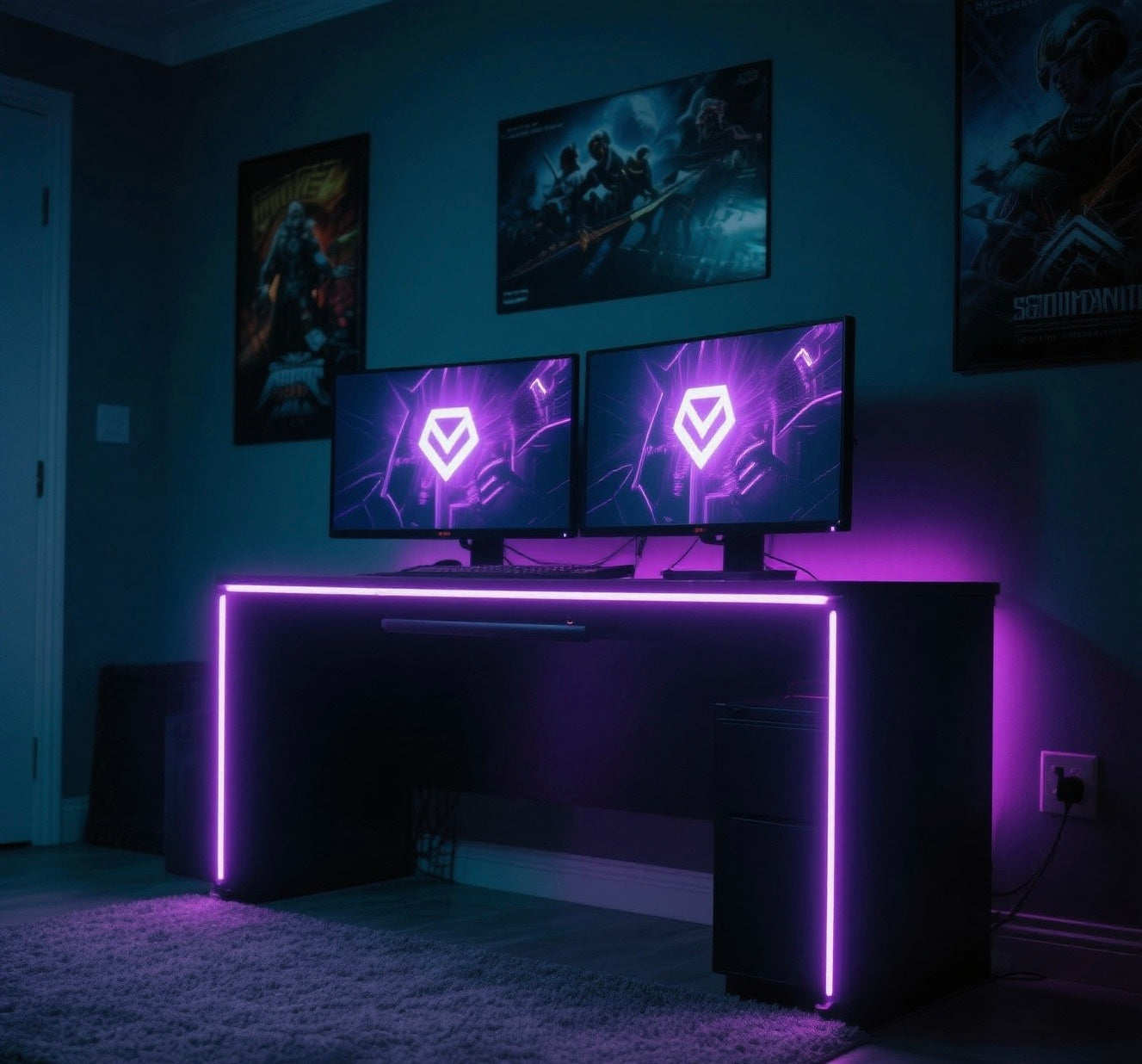
Yes, a monitor light bar can work very well with a dual-monitor setup. The right arrangement depends less on the number of screens and more on the area you want to illuminate. A compact setup with one main display may need only one light bar, while two equally used monitors usually benefit from a wider light source or one bar per screen.
This guide focuses on choosing the right lighting layout, positioning each light correctly, and avoiding the most common dual-monitor setup mistakes.
Why Dual Monitors Need a Different Lighting Plan
A single monitor creates a clear center point for both the user and the light. With two monitors, the workspace becomes wider and may include a screen gap, different viewing angles, or monitors at different heights. If the light is placed without considering that geometry, the center of the desk may be bright while the keyboard, documents, or outer edges remain dim.
The goal is not simply to light both screens. A monitor light bar should direct light toward the desk while keeping reflections off the displays and direct light out of your eyes.
Should You Use One Light Bar or Two?
| Lighting option | Best for | Main consideration |
|---|---|---|
| One standard light bar | One primary monitor plus a secondary screen | The outer side of the desk may receive less light. |
| One extra-wide or dual-head light | Two aligned monitors or one very wide work surface | Check the total coverage, mounting method, and available space above the screens. |
| One light bar per monitor | Two equally used screens, angled monitors, or a wide desk | Offers the most flexible coverage but requires two secure mounting positions and two power connections. |
Choose one standard light bar when:
- Most of your typing, reading, or drawing happens in front of one main monitor.
- The second display is mainly used for chat, email, reference material, or monitoring.
- Your desk is compact and the two monitors sit close together.
Mount the light on the primary monitor rather than trying to center it across the gap between the displays. If the far side of the desk remains too dark, you can add a second light later.
Choose two light bars when:
- You divide your work evenly between both screens.
- The monitors are angled inward and create two distinct work zones.
- You use a wide keyboard, control surface, drawing tablet, or paper documents across the desk.
- You want to adjust the coverage on each side independently.
With two bars, aim each beam at the desk area directly in front of its monitor. A small amount of overlap in the center creates a smoother transition, but too much overlap can make the middle of the desk look noticeably brighter.
Choose an extra-wide or dual-head light when:
- The monitors are aligned at the same height and placed close together.
- You want broad coverage without mounting a separate light on each screen.
- Your monitors do not offer two suitable mounting positions.
Measure the full width of the working area, not just the width of one display. Also confirm that the light's stand or clamp will not interfere with the monitor arms, webcam, vents, or cables.
Best Light Placement for Common Dual-Monitor Layouts
Two side-by-side monitors
For one bar, mount it on the monitor directly in front of your keyboard and chair. For two bars, place one on each display and angle both toward the center of the desk. Keep the brightness similar so one side does not dominate the workspace.
One main monitor with an angled side monitor
Start with the light on the main monitor. Turn the bar until the beam covers the keyboard and main work surface without reflecting in the angled screen. If you use two bars, the side light will usually need a slightly different angle or lower brightness because it sits closer to the edge of your field of view.
Stacked monitors
For vertically stacked monitors, one light bar is usually enough because both screens share the same horizontal work area. Choose a model with a remote control, as the light bar may be difficult to reach when mounted on the upper monitor. A remote lets you easily control the power, brightness, and color temperature from your seat. Make sure the light bar can angle downward toward the desk without shining directly into your eyes.
How to Set Up the Lighting Step by Step
- Set your monitor positions first. Adjust screen height, angle, and distance before adding the lights.
- Identify the real work area. Note where your keyboard, mouse, notebook, drawing tablet, or other frequently used items sit.
- Mount each light securely. The clip should rest fully on a supported part of one monitor. Do not balance a standard light bar across the gap between two screens.
- Start at a low brightness. Increase it only until the desk is comfortably visible. Maximum brightness is rarely necessary in a dim room.
- Aim the beam, then check for reflections. Sit in your normal position and inspect both screens, especially dark areas where glare is easier to see.
Brightness and Color Temperature Tips
More light is not always better. The desk should be clearly visible without creating a sharp contrast against the rest of the room. If the monitors are very bright and the room behind them is completely dark, consider adding soft ambient lighting rather than turning the light bars to maximum brightness.
- For detailed work: A neutral or cooler setting can make text, tools, and paper easier to distinguish.
- For evening use: A warmer, lower-brightness setting often feels less harsh.
- For two light bars: Use similar settings on both sides unless the room receives uneven daylight.
- For glossy objects: Lower the brightness or change the beam angle if a tablet, phone, or coated paper reflects the LEDs.
Common Dual-Monitor Lighting Mistakes
- Balancing one light across two monitors: A standard clip needs a stable mounting surface and should not bridge the screen gap.
- Lighting the screens instead of the desk: Rotate the bar until the beam falls in front of the monitors.
- Using maximum brightness in a dark room: Start low and increase gradually.
- Ignoring the outer edges: Check the full keyboard and document area, not only the center.
Frequently Asked Questions
Can one monitor light bar cover two 27-inch monitors?
It may provide enough light for the central keyboard area, especially when one monitor is the primary display. It is unlikely to illuminate the full width evenly. For broader coverage, consider two bars or an extra-wide light.
Should the light bar be centered between two monitors?
Only if the product uses a separate stand or mounting system designed for that position. A standard monitor-mounted light bar should be attached securely to one monitor, usually the primary display.
Are two light bars too bright?
Not when they are aimed and adjusted correctly. Use lower brightness on each bar and let the beams meet gently in the center instead of running both at full output.
Can I use light bars with curved or different-sized monitors?
Yes, but check the mounting range and screen-shape compatibility of each light. Two different monitor sizes may also require different lamp angles or brightness levels.
Final Recommendation
For a primary-and-secondary monitor layout, begin with one light bar on the main display. For two screens used equally, two bars provide the most controllable and even coverage. For aligned monitors or a very wide desk, an extra-wide or dual-head light can create a cleaner single-fixture setup.
If you choose two Quntis light bars and want to operate them together, continue with our Multi-Light Bar Pairing Guide: Control Multiple Quntis Light Bars with One Remote.
-
X (Twitter): https://x.com/QuntisO
-
Instagram: https://www.instagram.com/quntisofficial/
-
YouTube: https://www.youtube.com/@Quntis
-
Reddit: https://www.reddit.com/r/Quntis/
-
Find Your Light for your setup here
Featured Product
-
 Quntis مصباح مكتب قابل للطي بثلاث مراحل، استوديو 82 cm (32.3 inch) باللون الأسود، بتحكم مزدوج فاخر ومستشعر حركة ذكي بالرادار، ومؤشر CRI مرتفع، للعناية بالعين وإضاءة مهام متعددة المشاهد لمساحة العمل الاحترافية
-
 مصباح مكتب Quntis Flex Desk Lamp Studio بطول 78 cm (30.7 inch)، رمادي، مصباح LED ScreenLinear Desk Fold Pro معماري مزدوج الرأس مع مشبك تثبيت
-
 شريط إضاءة الشاشة Quntis Focus بطول 51 cm (20.1 inch)، أسود، PRO+ مع جهاز تحكم عن بُعد، مناسب للشاشات المنحنية أو المسطحة، بتعتيم تلقائي للعناية بالعينين، ومضاد للتوهج، ومصباح مكتب للألعاب أو المنزل أو المكتب
-
 شريط إضاءة الشاشة Quntis Monitor Light Bar Glow بطول 51 cm (20.1 inch)، رمادي، مصباح LED ScreenLinear Glow Plus بإضاءة مزدوجة
-
 شريط إضاءة Quntis منحني للشاشات بتوهج بطول 66 cm (26 inch) باللون الأسود، برأسان قابلان للطي للشاشات المنحنية، جهاز تحكم لاسلكي عن بُعد مع إضاءة خلفية محيطية دافئة، مصباح شاشة LED قابل للتعتيم التدريجي دون خطوات ومريح للعين
-
 شريط إضاءة شاشة Quntis Focus Radar مقاس 52 cm (20.5 inch) باللون الرمادي، Screenlinear Radar Pro Plus مع جهاز تحكم لاسلكي، وحساس حركة ذكي وتحكم باللمس، وإضاءة شاشة غير متماثلة عالية CRI مريحة للعينين وقابلة للتعتيم المتدرج


