
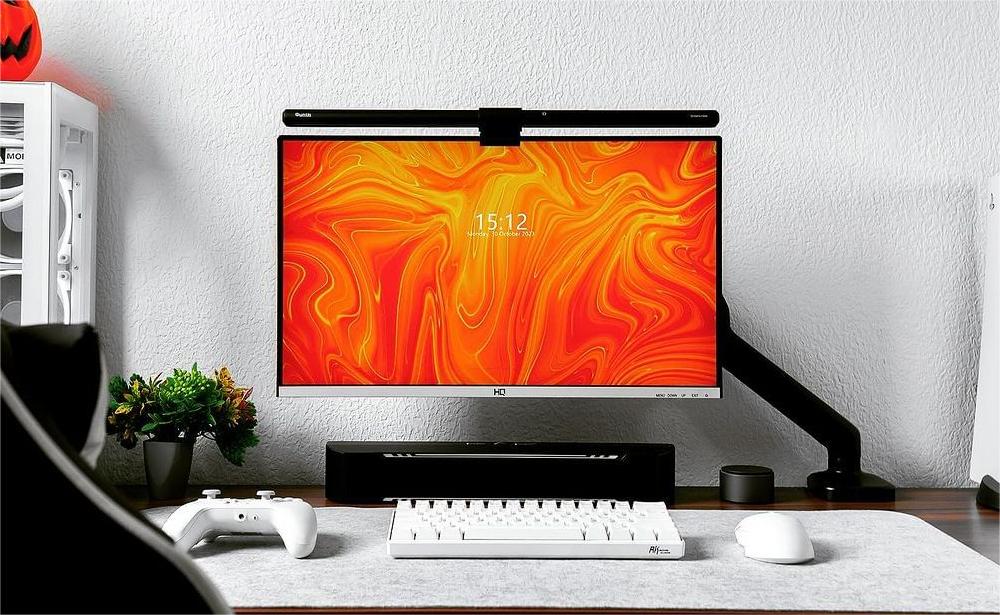
Multi-Light Bar Pairing Guide: Control Multiple Quntis Light Bars with one Remote
Want to know how to control multiple Quntis monitor light bars effortlessly with one remote? This pairing guide covers all compatible models, detailed compatibility rules across series, step-by-step pairing instructions, and a full compatibility table.
We hope this guide helps if you're facing challenges with multi-light bar pairing. If your specific Quntis light bar model isn't included in this article, please leave a comment, and we'll add the relevant content.
Quntis Monitor Light Bar Models with Multi-Light Control Function
Last updated: July 20th, 2026
These 18 Quntis light bars / desk lamps support multi-light control (one remote controls 2 or more bars simultaneously). Here's a complete overview of all models with this function available.
| Model | Quntis Official Site | Amazon Link |
|---|---|---|
| Quntis Monitor Light Bar Focus Dual-Control 41 cm (16.1 inch) Grey | View | View |
| Quntis Monitor Light Bar Focus Dual-Control 41 cm (16.1 inch) White | View | View |
| Quntis Monitor Light Bar Focus 51 cm (20.1 inch) Black | View | View |
| Quntis Monitor Light Bar Focus 41 cm (16.1 inch) Grey | — | View |
| Quntis Curved Monitor Light Bar Focus 45 cm (17.7 inch) Black | View | View |
| Quntis Monitor Light Bar Focus Radar 52 cm (20.5 inch) Grey | View | View |
| Quntis Monitor Light Bar Focus 41 cm (16.1 inch) Grey | — | — |
| Quntis Monitor Light Bar Glow 41 cm (16.1 inch) Grey | View | View |
| Quntis Monitor Light Bar Glow 41 cm (16.1 inch) Pink | View | View |
| Quntis Monitor Light Bar Glow 41 cm (16.1 inch) White | View | View |
| Quntis Monitor Light Bar Glow 51 cm (20.1 inch) Grey | View | View |
| Quntis Monitor Light Bar Glow 42.5 cm (16.7 inch) Grey | View | View |
| Quntis Curved Monitor Light Bar Glow 66 cm (26 inch) Black | View | View |
| Quntis Monitor Light Bar IM 51 cm (20.1 inch) Grey | View | View |
| Quntis Monitor Light Bar IM 51 cm (20.1 inch) Pink | View | View |
| Quntis Curved Monitor Light Bar IM 66 cm (26 inch) Black | View | View |
| Quntis Curved Monitor Light Bar IM Music Sync 45 cm (17.7 inch) Black | View | — |
Multi-Light Compatibility and Pairing
Quntis Monitor Light Bar Focus Dual-Control 41 cm (16.1 inch) Grey
| Model | Quntis Monitor Light Bar Focus Dual-Control 41 cm (16.1 inch) Grey |
|---|---|
| Compatible Models | Quntis Monitor Light Bar Focus Dual-Control 41 cm (16.1 inch) Grey Quntis Monitor Light Bar Focus Dual-Control 41 cm (16.1 inch) White |
| Pairing Instructions |
Each light bar is pre-paired with the remote control included in the package. If the controller fails to control the light bar, or if you replace the controller, please re-pair them as follows:
This light bar also supports multi-light control, allowing one remote control to control two or more light bars at the same time. You can use the same pairing procedure to connect the same remote control to multiple light bars. |
| Image Reference |
 |
| Tutorial Video | Will be added soon |
Quntis Monitor Light Bar Focus Dual-Control 41 cm (16.1 inch) White
| Model | Quntis Monitor Light Bar Focus Dual-Control 41 cm (16.1 inch) White |
|---|---|
| Compatible Models | Quntis Monitor Light Bar Focus Dual-Control 41 cm (16.1 inch) White Quntis Monitor Light Bar Focus Dual-Control 41 cm (16.1 inch) Grey |
| Pairing Instructions |
Each light bar is pre-paired with the remote control included in the package. If the controller fails to control the light bar, or if you replace the controller, please re-pair them as follows:
This light bar also supports multi-light control, allowing one remote control to control two or more light bars at the same time. You can use the same pairing procedure to connect the same remote control to multiple light bars. |
| Image Reference |  |
| Tutorial Video | Will be added soon |
Quntis Monitor Light Bar Focus 51 cm (20.1 inch) Black
| Model | Quntis Monitor Light Bar Focus 51 cm (20.1 inch) Black |
|---|---|
| Compatible Models | Quntis Monitor Light Bar Focus 51 cm (20.1 inch) Black |
| Pairing Instructions |
Each light bar is pre-paired with the remote control included in the package. If the controller fails to control the light bar, or if you replace the controller, please re-pair them as follows:
This light bar also supports multi-light control, allowing one remote control to control two or more light bars at the same time. You can use the same pairing procedure to connect the same remote control to multiple light bars. |
| Image Reference |  |
| Tutorial Video | Will be added soon |
Quntis Monitor Light Bar Focus 41 cm (16.1 inch) Grey
| Model | Quntis Monitor Light Bar Focus 41 cm (16.1 inch) Grey |
|---|---|
| Compatible Models | Quntis Monitor Light Bar Focus 41 cm (16.1 inch) Grey |
| Pairing Instructions |
Each light bar is pre-paired with the remote control included in the package. If the controller fails to control the light bar, or if you replace the controller, please re-pair them as follows:
This light bar also supports multi-light control, allowing one remote control to control two or more light bars at the same time. You can use the same pairing procedure to connect the same remote control to multiple light bars. |
| Image Reference |  |
| Tutorial Video | Will be added soon |
Quntis Curved Monitor Light Bar Focus 45 cm (17.7 inch) Black
| Model | Quntis Curved Monitor Light Bar Focus 45 cm (17.7 inch) Black |
|---|---|
| Compatible Models | Quntis Curved Monitor Light Bar Focus 45 cm (17.7 inch) Black |
| Pairing Instructions |
Each light bar is pre-paired with the remote control included in the package. If the controller fails to control the light bar, or if you replace the controller, please re-pair them as follows:
This light bar also supports multi-light control, allowing one remote control to control two or more light bars at the same time. You can use the same pairing procedure to connect the same remote control to multiple light bars. |
| Image Reference |  |
| Tutorial Video | Will be added soon |
Quntis Monitor Light Bar Focus Radar 52 cm (20.5 inch) Grey
| Model | Quntis Monitor Light Bar Focus Radar 52 cm (20.5 inch) Grey |
|---|---|
| Compatible Models | Quntis Monitor Light Bar Focus Radar 52 cm (20.5 inch) Grey |
| Pairing Instructions |
Each light bar is pre-paired with the remote control included in the package. If the controller fails to control the light bar, or if you replace the controller, please re-pair them as follows:
This light bar also supports multi-light control, allowing one remote control to control two or more light bars at the same time. You can use the same pairing procedure to connect the same remote control to multiple light bars. |
| Image Reference |  |
| Tutorial Video | Will be added soon |
Quntis Monitor Light Bar Focus 41 cm (16.1 inch) Grey
| Model | Quntis Monitor Light Bar Focus 41 cm (16.1 inch) Grey |
|---|---|
| Compatible Models | Quntis Monitor Light Bar Focus 41 cm (16.1 inch) Grey |
| Pairing Instructions |
Each light bar is pre-paired with the remote in the package. If the controller fails to control the light bar, or if you replace the controller, please re-pair them as follows
This light bar supports multi-light control, allowing one wireless controller to control two or more light bars at the same time. You can use the same pairing procedure to connect the same wireless controller to multiple light bars. |
| Image Reference |

|
| Tutorial Video | Will be added soon |
Quntis Monitor Light Bar Glow 41 cm (16.1 inch) Grey
| Model | Quntis Monitor Light Bar Glow 41 cm (16.1 inch) Grey |
|---|---|
| Compatible Models | Quntis Monitor Light Bar Glow 41 cm (16.1 inch) Grey 2214 Quntis Monitor Light Bar Glow 41 cm (16.1 inch) Pink 2214 Quntis Monitor Light Bar Glow 41 cm (16.1 inch) White 2214 |
| Pairing Instructions |
Each light bar is pre-paired with the remote in the package. If the controller fails to control the light bar, or if you replace the controller, please re-pair them as follows
This light bar also supports multi-light control, allowing one wireless controller to control two or more light bars at the same time. You can use the same pairing procedure to connect the same wireless controller to multiple light bars. |
| Image Reference |
 
|
| Tutorial Video | Will be added soon |
Quntis Monitor Light Bar Glow 41 cm (16.1 inch) Pink
| Model | Quntis Monitor Light Bar Glow 41 cm (16.1 inch) Pink |
|---|---|
| Compatible Models | Quntis Monitor Light Bar Glow 41 cm (16.1 inch) Pink Quntis Monitor Light Bar Glow 41 cm (16.1 inch) Grey Quntis Monitor Light Bar Glow 41 cm (16.1 inch) White |
| Pairing Instructions |
Each light bar is pre-paired with the remote in the package. If the controller fails to control the light bar, or if you replace the controller, please re-pair them as follows
This light bar supports multi-light control, allowing one wireless controller to control two or more light bars at the same time. You can use the same pairing procedure to connect the same wireless controller to multiple light bars. |
| Image Reference |
 
|
| Tutorial Video | Will be added soon |
Quntis Monitor Light Bar Glow 41 cm (16.1 inch) White
| Model | Quntis Monitor Light Bar Glow 41 cm (16.1 inch) White |
|---|---|
| Compatible Models | Quntis Monitor Light Bar Glow 41 cm (16.1 inch) White Quntis Monitor Light Bar Glow 41 cm (16.1 inch) Grey Quntis Monitor Light Bar Glow 41 cm (16.1 inch) Pink |
| Pairing Instructions |
Each light bar is pre-paired with the remote control included in the package. If the controller fails to control the light bar, or if you replace the controller, please re-pair them as follows:
This light bar also supports multi-light control, allowing one remote control to control two or more light bars at the same time. You can use the same pairing procedure to connect the same remote control to multiple light bars. |
| Image Reference |
 
|
| Tutorial Video | Will be added soon |
Quntis Monitor Light Bar Glow 51 cm (20.1 inch) Grey
| Model | Quntis Monitor Light Bar Glow 51 cm (20.1 inch) Grey |
|---|---|
| Compatible Models | Quntis Monitor Light Bar Glow 51 cm (20.1 inch) Grey |
| Pairing Instructions |
Each light bar is pre-paired with the remote control included in the package. If the controller fails to control the light bar, or if you replace the controller, please re-pair them as follows:
This light bar also supports multi-light control, allowing one remote control to control two or more light bars at the same time. You can use the same pairing procedure to connect the same remote control to multiple light bars. |
| Image Reference |
 
|
| Tutorial Video | View on Youtube |
Quntis Monitor Light Bar Glow 42.5 cm (16.7 inch) Grey
| Model | Quntis Monitor Light Bar Glow 42.5 cm (16.7 inch) Grey |
|---|---|
| Compatible Models | Quntis Monitor Light Bar Glow 42.5 cm (16.7 inch) Grey |
| Pairing Instructions |
Each light bar is pre-paired with the remote control included in the package. If the controller fails to control the light bar, or if you replace the controller, please re-pair them as follows:
This light bar also supports multi-light control, allowing one remote control to control two or more light bars at the same time. You can use the same pairing procedure to connect the same remote control to multiple light bars. |
| Image Reference |  |
| Tutorial Video | Will be added soon |
Quntis Curved Monitor Light Bar Glow 66 cm (26 inch) Black
| Model | Quntis Curved Monitor Light Bar Glow 66 cm (26 inch) Black |
|---|---|
| Compatible Models | Quntis Curved Monitor Light Bar Glow 66 cm (26 inch) Black |
| Pairing Instructions |
Each light bar is pre-paired with the remote control included in the package. If the controller fails to control the light bar, or if you replace the controller, please re-pair them as follows:
This light bar also supports multi-light control, allowing one remote control to control two or more light bars at the same time. You can use the same pairing procedure to connect the same remote control to multiple light bars. |
| Image Reference |
|
| Tutorial Video | Will be added soon |


Quntis Monitor Light Bar IM 51 cm (20.1 inch) Grey
| Model | Quntis Monitor Light Bar IM 51 cm (20.1 inch) Grey |
|---|---|
| Compatible Models | Quntis Monitor Light Bar IM 51 cm (20.1 inch) Grey Quntis Monitor Light Bar IM 51 cm (20.1 inch) Pink |
| Pairing Instructions |
Each light bar is pre-paired with the remote control included in the package. If the controller fails to control the light bar, or if you replace the controller, please re-pair them as follows:
This light bar also supports multi-light control, allowing one remote control to control two or more light bars at the same time. You can use the same pairing procedure to connect the same remote control to multiple light bars. |
| Image Reference |
 
|
| Tutorial Video | Will be added soon |
Quntis Monitor Light Bar IM 51 cm (20.1 inch) Pink
| Model | Quntis Monitor Light Bar IM 51 cm (20.1 inch) Pink |
|---|---|
| Compatible Models | Quntis Monitor Light Bar IM 51 cm (20.1 inch) Pink Quntis Monitor Light Bar IM 51 cm (20.1 inch) Grey |
| Pairing Instructions |
Each light bar is pre-paired with the remote control included in the package. If the controller fails to control the light bar, or if you replace the controller, please re-pair them as follows:
This light bar also supports multi-light control, allowing one remote control to control two or more light bars at the same time. You can use the same pairing procedure to connect the same remote control to multiple light bars. |
| Image Reference |
 
|
| Tutorial Video | Will be added soon |
Quntis Curved Monitor Light Bar IM 66 cm (26 inch) Black
| Model | Quntis Curved Monitor Light Bar IM 66 cm (26 inch) Black |
|---|---|
| Compatible Models | Quntis Curved Monitor Light Bar IM 66 cm (26 inch) Black |
| Pairing Instructions |
Each light bar is pre-paired with the remote control included in the package. If the controller fails to control the light bar, or if you replace the controller, please re-pair them as follows:
This light bar also supports multi-light control, allowing one remote control to control two or more light bars at the same time. You can use the same pairing procedure to connect the same remote control to multiple light bars. |
| Image Reference |
 
|
| Tutorial Video | Will be added soon |
Quntis Curved Monitor Light Bar IM Music Sync 45 cm (17.7 inch) Black
| Model | Quntis Curved Monitor Light Bar IM Music Sync 45 cm (17.7 inch) Black |
|---|---|
| Compatible Models | Quntis Curved Monitor Light Bar IM Music Sync 45 cm (17.7 inch) Black |
| Pairing Instructions |
Each light bar is pre-paired with the remote control included in the package. If the controller fails to control the light bar, or if you replace the controller, please re-pair them as follows:
This light bar also supports multi-light control, allowing one remote control to control two or more light bars at the same time. You can use the same pairing procedure to connect the same remote control to multiple light bars. |
| Image Reference |  |
| Tutorial Video | Will be added soon |
We will continue updating this guide as new Quntis monitor light bar models with multi-light control are released, and as we collect more real-world pairing feedback from users.
If you run into any issues during the paring process, please leave a comment or contact Quntis support so we can further improve this guide.