
Article: Quntis Monitor Light Bar Guide and Resources: Compare, Choose, and Set Up


Quntis Monitor Light Bar Guide and Resources: Compare, Choose, and Set Up
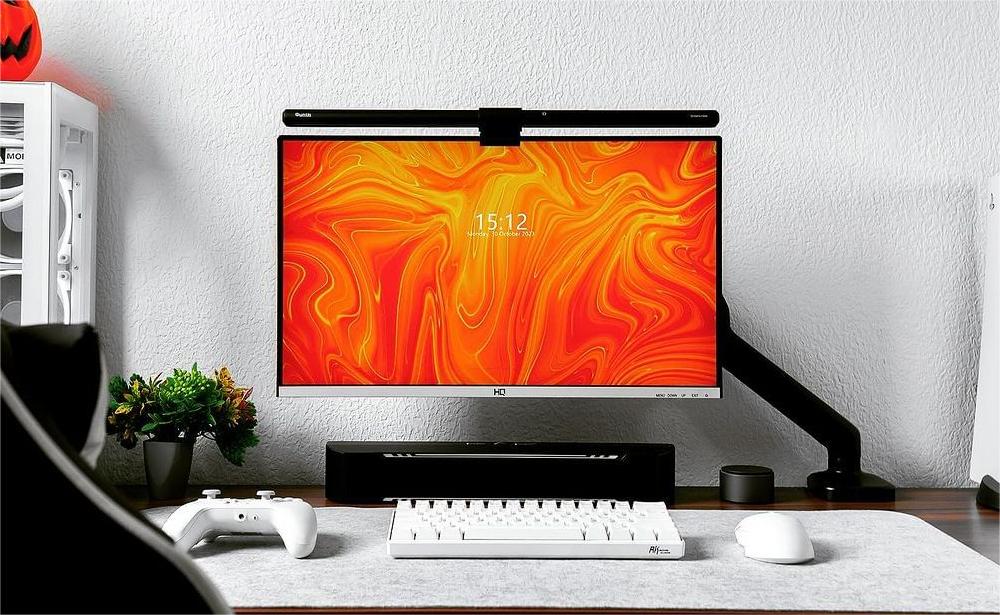
If you’re looking for the right Quntis Monitor Light Bar but aren’t sure which model fits your desk setup best, this guide is a good place to start. You can compare the different models across the factors that matter most for your workspace, then move on to setup tips and related resources once you’ve found the right fit.
Compare Quntis Monitor Light Bars
Quntis offers different light bars tailored to various screen types, desk sizes, and lighting requirements. When comparing models, it helps to look beyond a single spec and instead check a small group of factors together: screen compatibility, recommended screen size, bar length, overall design, lighting performance, brightness and color‑temperature range, CRI, lux level, control method, camera‑friendliness, and whether multi‑light pairing is supported.
The comparison article walks through these points series by series, so a shortlist usually appears quite quickly once screen type and basic preferences are clear.
Choose the Right Model for Your Setup
Once the main screen type is decided—flat or curved, single monitor or multi‑display—the list of suitable models usually gets much shorter. On flat screens, key points to consider include bar length, front‑only versus front‑plus‑back lighting, whether RGB backlighting is needed, and how easily brightness and color can be adjusted. On curved screens, the focus shifts first to mounting compatibility and to how evenly the light covers the curve of the display.
A few simple questions can help turn a long list into a short list:
-
Does this light bar mount securely on the current monitor size and thickness?
-
Is it clearly marked as suitable for flat, curved, or both types of screens?
-
Will it work well with a webcam or camera placed above or near the monitor?
-
Is there a need now—or in the near future—to run more than one light bar in the same setup?
Working through these points tends to make the “right” model stand out more clearly, instead of feeling like several similar options with no obvious winner.
Learn About Multi-Light Pairing
For dual‑monitor or ultra‑wide desk setups, a single monitor light bar is often not enough to cover the entire workspace comfortably. One exception is when a desk lamp from the Quntis Studio series is used, since these lamps clip to the edge of the desk and are generally wider and larger than a typical monitor light bar.
In most other cases, running two or more light bars together with multi‑light pairing keeps the desk evenly lit without adding extra steps to every adjustment. With pairing enabled, brightness and color temperature can be changed on multiple Quntis bars using one remote, so the whole desk shifts together.
A step‑by‑step walkthrough of the pairing process is available in Quntis Multi-Light Bar Pairing Guide: Control Multiple Quntis Light Bars with One Remote .
Find Setup Instructions
Once a model has been selected, the physical setup is usually quick. Most Quntis monitor light bars are designed to clip onto the top edge of the screen and connect via USB power.
For model‑specific details, such as exact mounting steps, button layouts, or advanced features, please refer to the product manual that comes in the box.
If the manual has been lost, the most direct route is the support & user manual section on the Quntis blog. Searching by product name there will bring up manuals and additional notes tailored to that particular light bar.
Improve Your Desk Lighting
A monitor light bar solves a very specific problem: it brightens the work surface and reduces the contrast between the screen and the desk.
If you are looking for inspiration for your desk lighting setup, this article may offer some useful ideas: Layered Desk Lighting for Eye Comfort: From Flat Light to Depth .
Learn More About Quntis
Learn more about Quntis in this article: Inside Quntis: Desk Lighting for the Hours That Add Up .
Need Further Help?
If a specific question hasn’t been answered yet, please leave a comment or feedback to let us know which topics should be covered next.
Thank you for your interest in Quntis and for taking the time to read the article. You can also connect with Quntis on social media for desk setup inspiration:
-
X (Twitter): https://x.com/QuntisO
-
Instagram: https://www.instagram.com/quntisofficial/
-
YouTube: https://www.youtube.com/@Quntis
- Reddit: https://www.reddit.com/r/Quntis/
Leave a comment
This site is protected by hCaptcha and the hCaptcha Privacy Policy and Terms of Service apply.