
One Light Bar or Two? Ultrawide & Dual-Monitor Guide | Quntis
Choosing between one monitor light bar and two starts with the area where you work. A lamp may fit your monitor without evenly illuminating every part of your desk.
The short answer: One light bar may be enough if your keyboard, mouse and other everyday tasks are concentrated in one area. Two may make more sense when your workspace is spread across separate zones. The deciding factor is the area you need to illuminate, not simply the number or size of your monitors.
This guide explains how monitor compatibility, desk coverage and everyday control can help you choose a lighting setup for single, ultrawide, curved and dual-monitor desks.
1. Monitor Compatibility vs. Lighting Coverage
Before comparing light bars, separate two questions: will the lamp fit your display, and will it illuminate the areas where you work?
- Monitor compatibility describes whether a light bar can be securely attached to a display, taking screen thickness, curvature, rear housing and available mounting space into account.
- Lighting coverage describes how the lamp illuminates your working surface, including the keyboard, mouse, documents and other task areas.
A compact light bar may fit a large monitor, depending on its attachment design. That alone does not establish how well it will light a wide workstation.
Look at light distribution, not just center brightness
Illuminance, measured in lux (lx), describes the amount of light reaching a surface. A measurement at the center of a desk tells you the light level at that point; it does not show how light is distributed across the whole working area.
A lamp can produce high center illuminance while leaving nearby documents or tools in darker areas. Bar length, optical design, mounting height, beam direction and the distance to the desk all influence the result.
What to check: Assess the areas where you actually read, write and use physical tools, together with the room's existing lighting. Avoid choosing solely by screen size or a single brightness figure.
2. Single-Monitor Desks: When One Light Bar Is Enough
For a compact single-monitor workspace, one compatible light bar may be sufficient when the keyboard, mouse and nearby documents sit within its illuminated area. Check the actual desk coverage rather than relying on screen size or bar length alone.
A Quntis option for a focused workspace
The Quntis Monitor Light Bar Glow 51 cm (20.1 inch) Grey combines adjustable front task lighting with rear ambient backlighting.
- Front lighting directs light toward the desk while helping limit unwanted screen reflections.
- Rear backlighting illuminates the area behind the display, helping reduce the contrast between a bright screen and darker surroundings.
Glow 51 cm is an option for a focused home-office setup. If your reading or working area extends beyond the illuminated zone, consider a wider compatible design or additional task lighting.
3. Ultrawide and Curved Monitors: Look Beyond Light Bar Length

With a 34-inch ultrawide or a 49-inch curved display, check screen curvature, attachment geometry and desk layout alongside lamp length. A longer light bar may extend the lighting arrangement, but its suitability still depends on how it fits and where it directs the light.
A straight light bar can work with some curved monitors. Adjustable sections offer another way to position the lamp around the display and the working area.
Two adjustable Quntis designs
- Quntis Curved Monitor Light Bar Glow 66 cm (26 inch) Black
- Quntis Curved Monitor Light Bar IM 66 cm (26 inch) Black
Both use a 66 cm foldable dual-head structure. Their adjustable sections provide flexibility in arranging the lamp for compatible curved and ultrawide displays.
- A wider structure: The 66 cm design offers a broader physical lighting arrangement than a compact bar. Actual desk coverage depends on positioning and light distribution.
- Adjustable sections: The foldable design lets you change the lamp's configuration to suit compatible displays and your desk layout.
- Asymmetrical front lighting: The optics are designed to direct light toward the desktop while limiting unwanted light toward the screen and the user's eyes.
Before purchasing, check the model's current curvature, screen-thickness and attachment requirements against your monitor. An adjustable design does not guarantee compatibility with every curved display.
| Feature | Glow 66 cm | IM 66 cm |
|---|---|---|
| Suggested use | Home offices and productivity | Work, gaming and creative setups |
| Design | 66 cm foldable dual-head | 66 cm foldable dual-head |
| Rear lighting | Warm ambient backlight | 15 RGB backlight modes |
| Multi-Light Control | Supported with compatible models | Supported with compatible models |
| Monitor fit | Check the product's current attachment and curvature requirements | Check the product's current attachment and curvature requirements |
On smaller screens, swipe the table horizontally to view all columns.
For more detail, read 2 Ideal Curved Monitor Light Bars for Ultrawide Curved Monitors.
4. Dual-Monitor Desks: When Two Light Bars Make More Sense

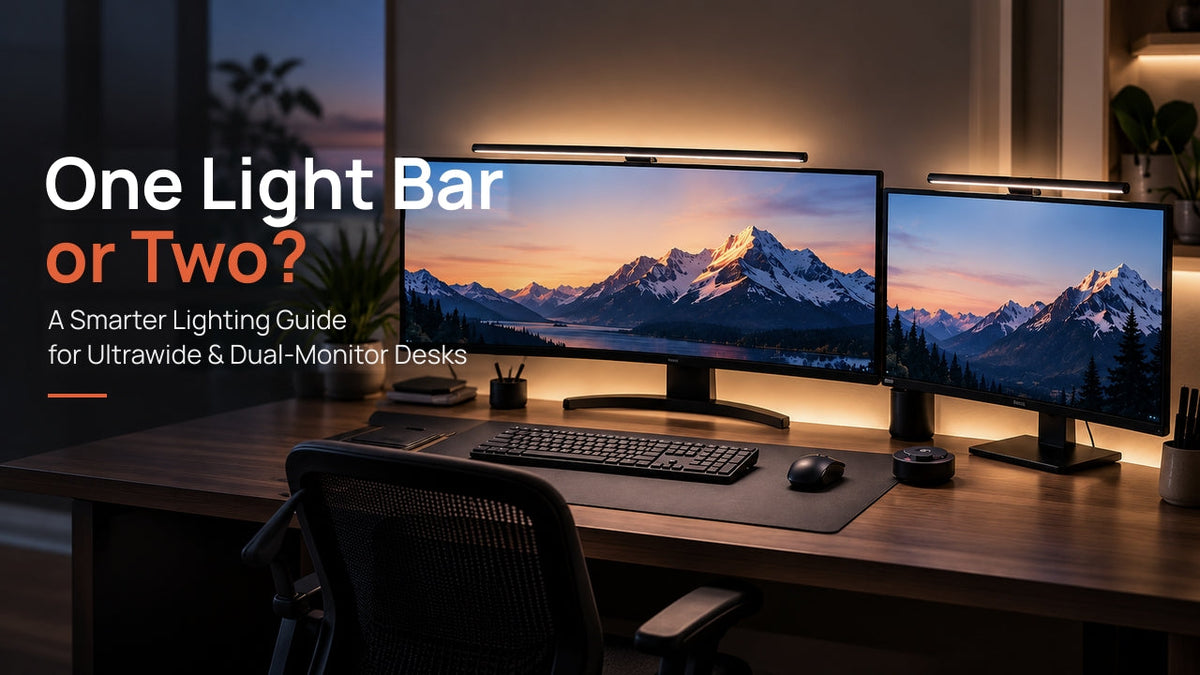
A dual-monitor desk does not automatically need two lamps. The useful distinction is whether you work in one main area or across separate physical task zones.
One light bar for a primary task area
If you mainly work on one monitor and use the second for reference, one light bar may be enough for your keyboard, mouse and nearby documents. Check that those areas remain comfortably lit during normal use.
Two light bars for separate working zones
If a drawing tablet, notebook or other tools are spread beneath both displays, two independently attached light bars can offer more positioning flexibility. Each can be directed toward its corresponding task area.
Consider this arrangement when:
- You regularly use physical tools or documents beneath both screens.
- The monitors are angled and one lamp cannot conveniently serve both task areas.
- Your desk has several active working zones that remain unevenly lit with one lamp.
After positioning the lamps, check for overlapping bright areas, screen reflections and direct glare, then adjust their angles and brightness as needed.
See our Guide to Using Monitor Light Bars with Dual-Monitor Setups for more placement tips. For compatible lamps, Multi-Light Control can simplify everyday adjustments.
5. Quntis Multi-Light Control: Coordinated Adjustments
Quntis Multi-Light Control allows multiple compatible light bars to be paired with one controller. Instead of adjusting each supported lamp separately, you can coordinate lighting settings across your workspace.
- Simpler operation: Use one controller for compatible lamps.
- Coordinated settings: Adjust supported brightness and color-temperature settings together, according to the models and controller used.
- Flexible placement: Position the lamps for your working areas while maintaining unified control.
Check compatibility first: Multi-Light Control works only between compatible models. Do not assume that any two Quntis light bars can be paired together. Supported combinations, pairing steps and controllable functions depend on the models and controller.
Before buying or pairing multiple lamps, consult the Quntis Multi-Light Bar Pairing Guide for the applicable models and instructions.
6. Find the Right Lighting Configuration for Your Desk
Use the configurations below as starting points, then check the monitor's physical design and the areas where you need light.
| Desk setup | What to assess | Lighting direction |
|---|---|---|
| Compact single-monitor desk | Whether the keyboard, mouse and documents fit within one illuminated area | One compatible light bar, such as Glow 51 cm, if it covers the active task area |
| 34-inch ultrawide monitor | Task-area width, screen curvature and attachment requirements | Consider a compatible adjustable design such as Glow 66 cm or IM 66 cm |
| Dual-monitor workstation | One primary task area or separate working zones | One compatible light bar for a primary task area; two compatible bars with Multi-Light Control for separate zones |
| 49-inch curved monitor | Monitor geometry, attachment space and the width of the active work area | Consider a compatible 66 cm foldable design and assess whether additional task lighting is needed |
On smaller screens, swipe the table horizontally. These are starting points, not guarantees of measured coverage or compatibility.
Three questions to ask before choosing
- Where do you need light? Identify where you read, write, type or use physical tools. A wider screen does not necessarily mean the whole desk needs the same illuminance.
- Will the lamp fit your monitor? Check screen thickness, curvature, rear housing and available attachment space.
- How will you adjust it? Consider convenient everyday controls and, for multiple lamps, verified compatibility with a shared controller.
7. Better Lighting Starts with Your Workspace
Start with your tasks, then choose a lamp that fits your monitor and illuminates the right areas. One light bar can suit a focused setup; two can offer more flexibility when your work is spread across separate zones.
Compare Quntis designs in our Monitor Light Bar Comparison Guide, then check the selected model's current specifications before purchasing.
Find the right fit for your workspace.

