Skip to content

Cart

Your cart is empty

Monitor Light Bar Buying Guide

Monitor Light Bar Buying Guide

Check what fits your flat, curved or ultrawide monitor, then compare front light, soft backlight and RGB. For a wider work area, explore desk lamps.

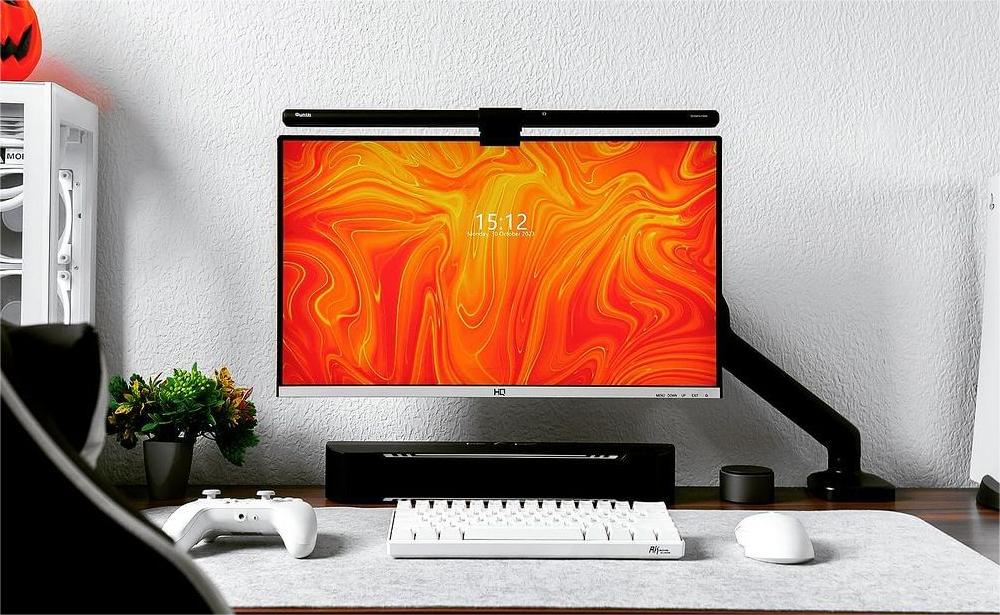
Quntis desk lighting in a working setup

What to check before choosing a light

Will a light bar fit a curved monitor?

Check the screen diagonal, curvature rating and thickness where the clip sits. The 66 cm Quntis Glow and IM light bars fit 32–49 in monitors with an 800R or larger radius and a 0.12–3.35 in (0.3–8.5 cm) top edge at the clip. Check for clearance around any raised rear housing or webcam.

How to check monitor fit

Do I need front light, soft backlight or RGB?

Choose front light only if you mainly need to see your keyboard and notes. Add soft backlight if you work with the room lights low and want a gentle glow on the wall. Choose an RGB backlight if you want adjustable color behind the monitor for gaming or the look of your desk.

Check RGB and Music Sync support

How should I light a dual-monitor desk?

One light bar can work when you mostly use one screen and need light near its keyboard. For two work areas or papers off to the side, consider two light bars or an adjustable desk lamp. Check where each light reaches and measure the desk edge if you plan to use a clamp.

Read the dual-monitor lighting guide
Shop all Quntis monitor light bars

Before You Order

How do I measure my monitor for a light bar?

Measure front to back where the clip will grip, and check whether a raised back panel or webcam blocks that spot. Use the screen diagonal from your monitor’s specs. For a curved monitor, also find the R rating. An 800R screen curves more tightly than a 1000R screen. For a thin OLED or an unusual rear housing, send us the model and photos before ordering.

Can I keep my webcam and monitor arm?

Check that the lamp leaves a built-in camera’s lens clear. For a clip-on webcam, make sure both clips can grip securely, or use a separate webcam stand. If you have a monitor arm, tilt the screen to your usual positions and check that the light’s mount clears the arm.

What if my desk edge is blocked or I have a corner desk?

Try a side edge if the center is occupied. Measure the desktop at that spot and check for a flat grip above and below it, plus clearance from the frame, cable tray, and wall. Check that the lamp heads can clear your screens and reach the keyboard and papers. If no edge is usable and you have space beside the desk, see the floor-standing pre-order option.

Can the backlight follow my screen or react to music?

IM 66 lets you choose rear RGB effects with the remote independently of the white task light. IM Music Sync 45 has an audio-responsive RGB mode. If you need screen color matching or SimHub, confirm support for the exact model before ordering.

What is the difference between a remote, auto dimming and radar sensing?

A remote lets you adjust the light from your seat. Auto dimming adjusts brightness based on room light on supported models. Radar sensing responds to movement near the desk. If you want a physical dial, the Quntis Focus 51 cm has a remote you can turn and press.

Can I power it from my monitor or USB hub?

Check the exact model’s input requirements. For a USB-powered light, verify that the port supplies the required voltage and at least the required current. If the light includes a power adapter and cable, use those first. Check the product page for what comes in the box.

Can I mount a light bar on a laptop or TV?

For a laptop, look for a laptop-specific mount and check that the clip clears the camera and the hinge can hold the screen. A desk clamp keeps the lamp’s weight off the lid. For a TV, check the exact model, top edge, and rear clearance, especially if it’s wall-mounted.

Desk lighting buyer’s guides

View all buyer’s guides
More buyer’s guides

Contact Quntis for local product availability.

Find your model